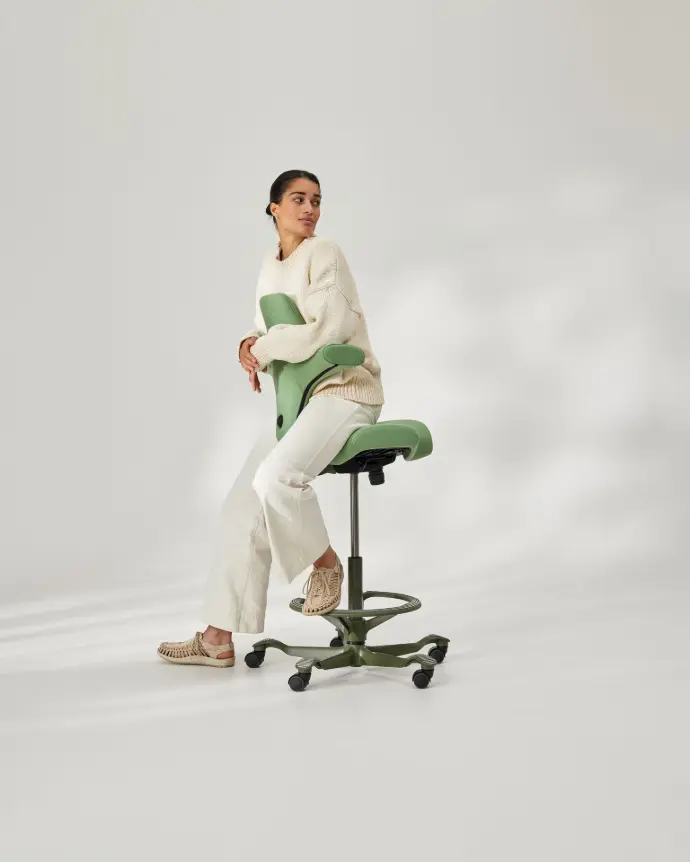
How do I adjust my HÅG Capisco chair?

The HÅG Capisco is a versatile ergonomic office chair designed for dynamic sitting and active working. It is made to support a variety of sitting positions: traditionally, backwards, or in a semi-standing posture at a high desk. By adjusting the chair correctly, you can get the most out of your Capisco while also helping to prevent neck, back, and shoulder pain.

On this page, we explain step by step how to properly adjust your HÅG Capisco. We cover all the key settings: from seat height and seat depth to backrest height, movement resistance, and headrest adjustment.

Do you still have questions afterwards or are you unsure about a specific setting? Feel free to contact us — we are happy to help.


Watch the video

 Step-by-step setup

Maintenance and advice

This guide applies to all HÅG Capisco and HÅG Capisco Puls models with a backrest, including the HÅG Capisco 8106, HÅG Capisco 8107, HÅG Capisco Puls 8010 and HÅG Capisco Puls 8020. These models offer the same adjustment options and ergonomic features. The main differences are found in the finish, upholstery, and design of the backrest and seat.

HÅG Capisco ergonomic office chair, properly adjusted

Video & manual

Watch the video

Watch the user guide video for the HÅG Capisco & Capisco Puls:

Download the PDF​

Download the user manual for the HÅG Capisco & Capisco Puls here: 

Adjusting the HÅG Capisco — step by step

1. Adjust the seat height

Use the rear lever located underneath the left side of the seat. Pull the lever upward while standing or sitting to adjust the height. Release the lever to lock the position.

The correct seat height ensures that:

  • your feet rest fully on the floor or footring
  • your knees form an angle slightly greater than 90°
  • your shoulders remain relaxed
  • your arms rest comfortably on the desk surface

Tip: If you use the Capisco with a sit-stand desk, adjust the chair slightly higher so you can work in an active semi-standing position. A footring provides additional support in this posture.
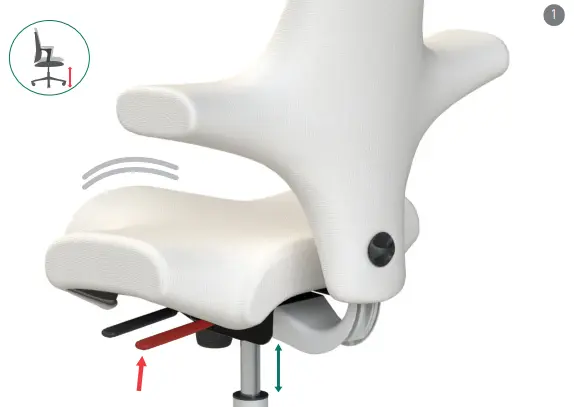
Adjust the seat height of the HÅG Capisco using the lever at the back of the seat

2. Adjust the seat depth

Use the front lever underneath the left side of the seat. Slide the seat forward or backward while sitting, then release the lever to lock the position.

The seat depth is correctly adjusted when you sit upright and feel proper support from the backrest.
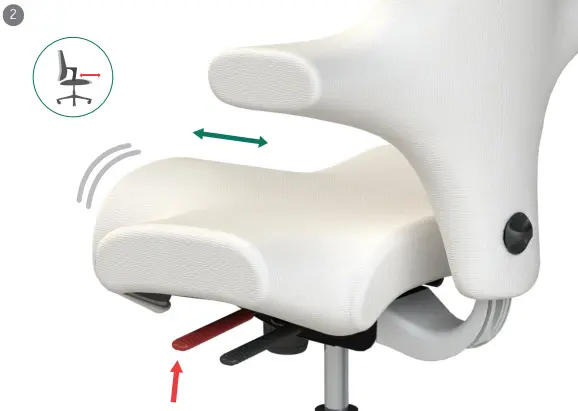
 

Adjust the seat depth of the HÅG Capisco using the front lever

3. Adjust the backrest height

Pull the button located behind the backrest while simultaneously moving the backrest up or down with your other hand. Release the button to secure it in place.

The backrest is correctly positioned when the lumbar support fits naturally into the curve of your lower back.

Why this matters: A properly adjusted backrest height supports your natural sitting posture and helps reduce back strain during long working hours.
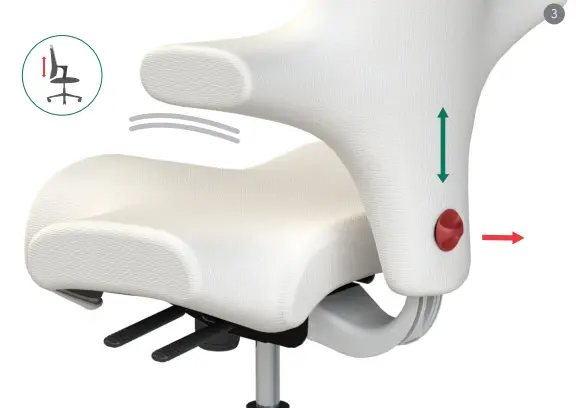
Adjusting the height of the HÅG Capisco backrest correctly

4. Adjust the movement resistance

Use the adjustment knob located underneath the front of the seat, between your legs.

  • Turn counterclockwise for lighter resistance
  • Turn clockwise for heavier resistance

The ideal resistance allows the chair to move smoothly with your body without causing you to unexpectedly tilt backward.

Tip: If you have a lighter body weight, choose lower resistance so the dynamic movement mechanism functions optimally.
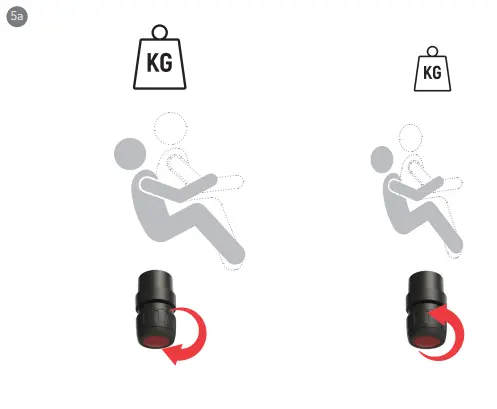
Adjusting the resistance of the HÅG Capisco's movement mechanism

5. Lock the tilt mechanism

Lean back slightly while sitting in the chair, then lock the mechanism using the lever under the seat. This is especially handy when you want to sit facing backward on the Capisco.

Tip: We recommend keeping the chair movement unlocked whenever possible. Dynamic sitting stimulates circulation, reduces prolonged pressure on the body, and helps you work more actively.
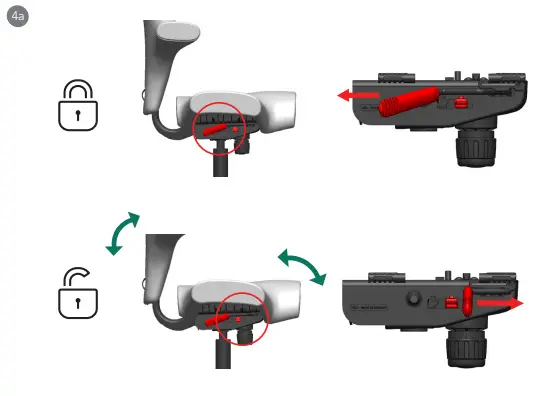
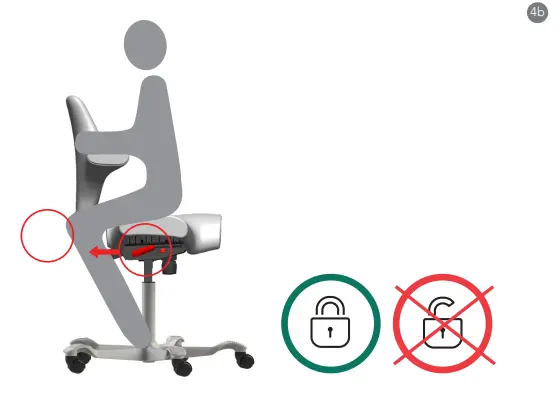
Bewegingsmechaniek van de HÅG Capisco vergrendelen voor een vaste zithouding

6. Activate the forward tilt

First tilt the seat slightly backward and lock the mechanism. Then slide the right-hand knob underneath the seat backward and unlock the mechanism again.

The seat will now tilt approximately 2° further forward. This supports a more active working posture at a high desk or sit-stand desk.
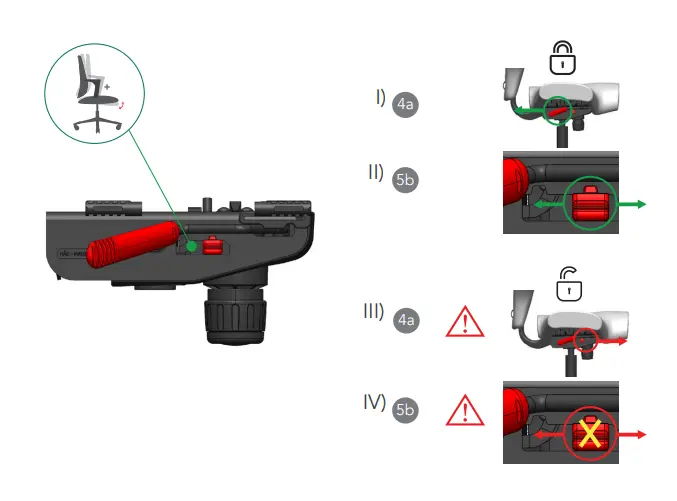
Activating the forward tilt of the HÅG Capisco for active sitting

7. Adjusting the headrest

HAG Capisco 8107 only.

The headrest of the HÅG Capisco 8107 can be adjusted in both height and depth.

  • Depth: Adjust the distance using the knob underneath the headrest
  • Height: Move the headrest up or down along the support bar

The headrest is correctly positioned when the back of your head is lightly supported without pushing your head forward.
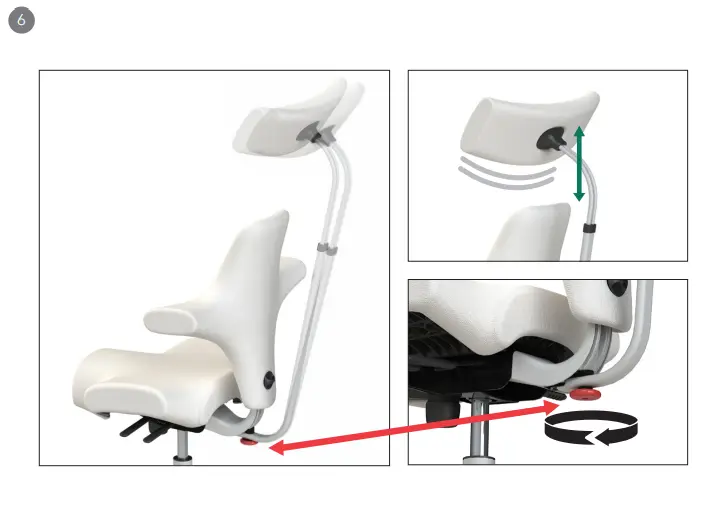
Correctly adjusting the headrest of the HÅG Capisco 8107

Maintenance & safe use of your HÅG Capisco

General maintenance

Clean the seat and backrest regularly with a dry or slightly damp cloth. Do not use aggressive cleaning agents or abrasive products.

Never remove parts of the seat mechanism yourself and do not attempt to open the chair.


Choosing the right casters

Check whether your chair is equipped with the correct casters for your floor type:

  • Hard casters → suitable for carpeted floors
  • Soft casters → suitable for hard floors such as wood, laminate, or tiles

Always use five identical casters for maximum stability and safety.


Technical issue or repair needed?

Is a part not functioning correctly or do you need a replacement part? please contact us.

Please include:

  • the model of your chair
  • a clear description of the issue
  • if possible, a photo of the sticker underneath the chair

This helps us assist you more quickly and efficiently.

Unsure about the correct adjustment?

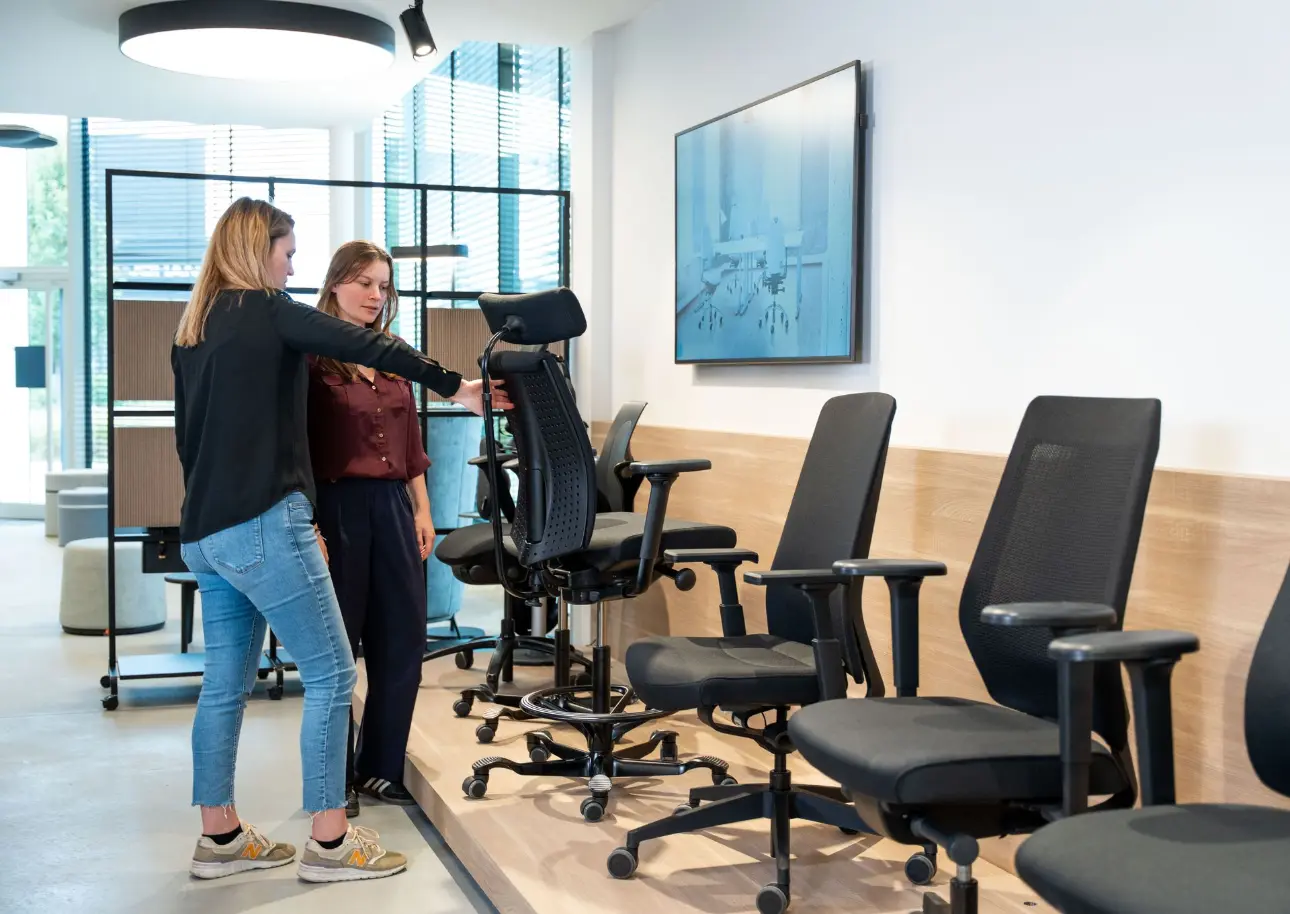
Our ergonomic experts are happy to help. Contact us for personal advice and guidance.

Personalized guidance and advice on office chairs